

Dynamic API DOOH
Demos
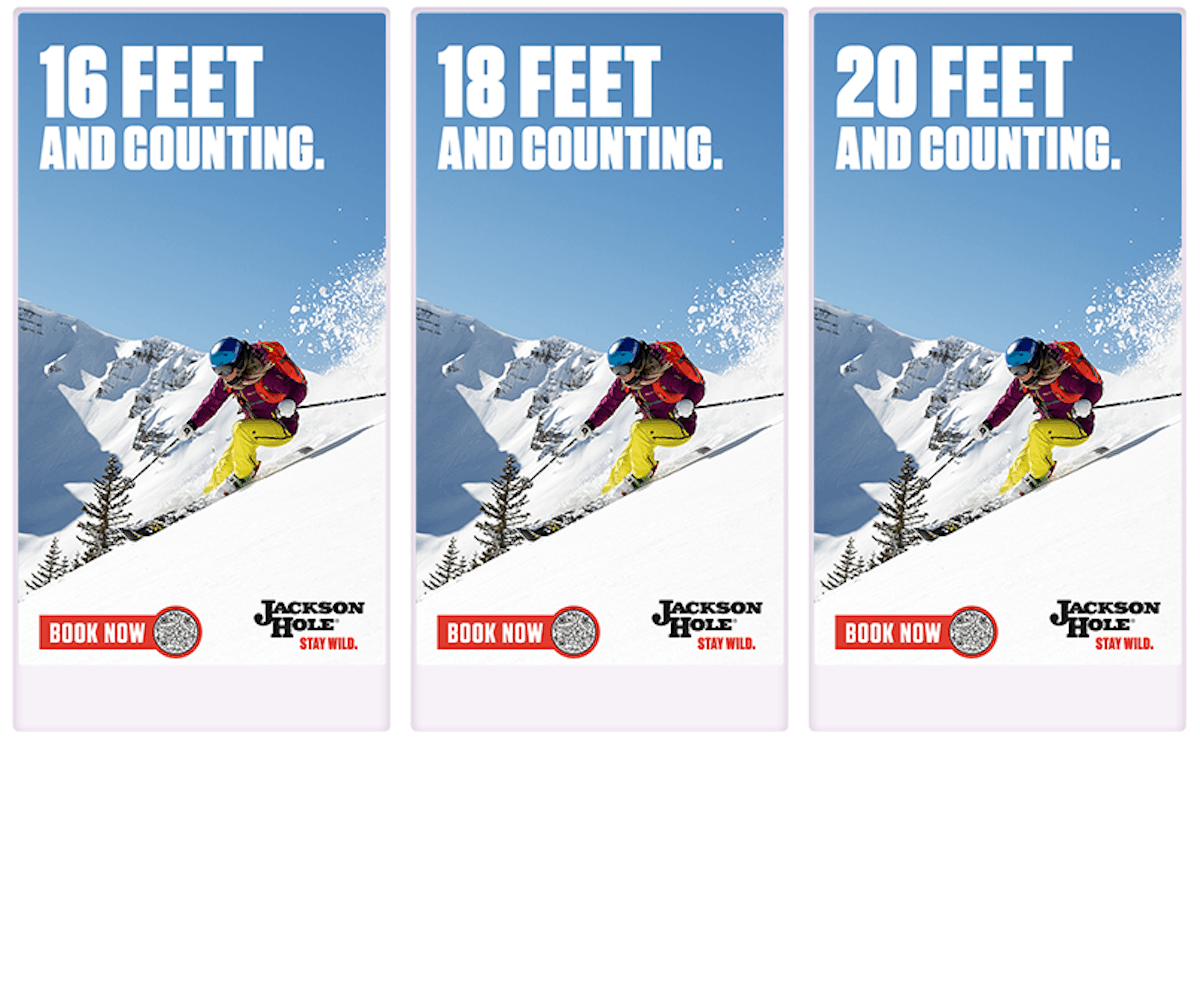
Dynamic API DOOH
By connecting to a brand’s API, we can customize the creative to showcase the data provided - everything from sports scoring and betting stats to product pricing and inventory levels.
- Brand Custom Feed: Use your brands custom feeds like lottery jackpots, snowfall at a ski resort and more to customize your DOOH creatives.
- MiQ Custom Solution: MiQ offers custom API solutions built for your brand and campaign needs. Reach out to your MiQ contact to scope a custom solution for your dynamic CTV campaign.
What is Dynamic Creative and DCO?
Dynamic Creative Optimization (DCO) empowers brands to build programmatic ads with elements that change and optimize to the most impactful creative output based on data signals.
Best Practices
Showcase your brand on DOOH screens big and small to reach users during their everyday activities. MiQ Creative can help you resize existing assets into unique OOH sizes or provide custom designs for your OOH activity!
Copy
We suggest using as little text as possible to allow your branding and imagery to shine. Keep copy as close to the following suggestions:
- Headline (100 characters)
- Additional copy (100 characters)
QR Codes - Optional
Allow viewers to easily access landing pages, app downloads, coupons or shoppable microsites via a QR code. QR codes should be high contrast for color legibility and large enough to scan from a further distance.
QR codes can be produced by MiQ or shared by the brand directly. If MiQ produces the QR code, scan reports are available!
Getting Started
1
API Access
A link or access to a resource hosted by the client or third party data provider that is updated with real time information about products, statistics or other brand information.
2
Creative Template
The creative template, also known as a dynamic shell or creative master, is a basic layout defined in a design file that sets out how the dynamic elements should be arranged within the ad.
3
Creative Assets
If a creative template is being designed by MiQ, we will require standard brand assets to align the new design to your brand.
Design Assets
Asset
Existing Media Files
File Types Accepted
.psd or .ai
Asset
Fonts
File Types Accepted
.otf or .ttf
Asset
Logos
File Types Accepted
.png, .jpg, .psd or .ai
Asset
Images
File Types Accepted
.png, .jpg, .psd or .tiff
Asset
Copy
File Types Accepted
Approved copy only
Asset
QR Code Destination
File Types Accepted
URL
Asset
File Types Accepted
Existing Media Files
.psd or .ai
Fonts
.otf or .ttf
Logos
.png, .jpg, .psd or .ai
Images
.png, .jpg, .psd or .tiff
Copy
Approved copy only
QR Code Destination
URL